Recovering from accidentally deleting my main user on NixOS
- Published on
- · 2 min read
- Author
-
-

- Name
- Jen Chan
-
There are esoteric languages… and then there are esoteric operating systems. NixOS is one of the latter.
2 months ago, I locked myself out of NixOS at 1am while running it on a VM.
I was trying to reproduce a coworker’s setup so the work-in-progress could be deployed for testing on a clinical device the next day, and I wanted to be ready for it.
My local environment was running just fine, but did not have access to the deployment environment.
Instead, I deleted my user.
The oddity about NixOS is that it’s a declarative operating system. For better or worse, any time you want to change something about it whether it’s dependency installation for a particular program, or to alter the behavior of the operating system, you need to rebuild (and maybe even re-deploy) the whole operating system.
I had an exported PDF of instructions that didn’t seem to achieve the expected output no matter what I tried.
The next logical step was attempting exact reproduction of my coworker’s environment.
So I rebuilt an OS generation… probably the 13th one that week.
And BOOM - I was no longer able to login using that newest build.
I panicked.
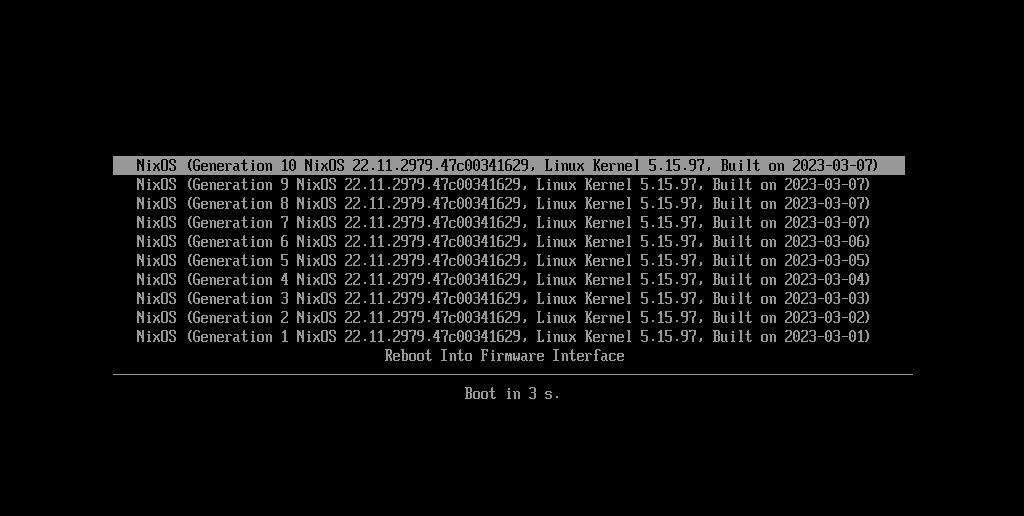
Then I realized previous generations still existed on boot of the VM. Going back around 8 generations, I found one that was still able to boot that particular generation.
Regardless, I still wasn’t able to login in the normal shell.
Linux files for user management (/etc/passwd and /etc/shadow) are managed by NixOS, but aren’t part of the Nix store. So, rebooting into an older NixOS configuration didn’t save me either.
writes Philipp Schuster, who found himself in the same situation except through using flakes.
Merciful Root Shell
I used sudo su - to get root access and was directed to the root shell.
Inside, I ran passwd <username> to set a new password for my user.
I also added my user to the wheel group to grant my user sudo privileges as I heard it’s a general anti-pattern to run commands as root… well if you’re not the only developer on the project :D
After readding my user as the configuration.nix file, I was able to login as usual.